

Best overall for a minimal professional setup: Proteq. Best for a small desk: a compact wireless charging mouse pad. Best for keeping your current mouse surface: a separate wireless charger beside your mouse pad. This 2026 guide compares those three approaches, with phone compatibility, usable mouse space and cable placement deciding the right choice.
- Proteq is the pick for professionals seeking a wireless charging desk mat with a minimal look.
- Choose a wireless charging mouse pad by phone compatibility and usable mouse space, not appearance alone.
- A compact charging mouse pad suits a dedicated mouse area; a desk mat suits a wider workspace.
- Keep your existing mouse pad if you prefer positioning the wireless charger separately.
What makes the best wireless charging mouse pad?
A wireless charging mouse pad combines a mouse surface with a charging area. The important distinction is what it charges: a phone-charging zone does not automatically charge your wireless mouse. Check the stated purpose before you choose.
Use these criteria to judge any 2026 shortlist:
- Confirmed compatibility: Match the charging standard to your exact phone. A product name alone does not establish compatibility.
- Usable mouse space: Check the area left after the phone occupies its charging position. Overall dimensions are not the same as clear working space.
- Power requirements: Read the required input and supplied accessories. The mat still needs a wired power connection.
- Desk fit: Decide whether you want a surface beneath the mouse only or beneath the keyboard and mouse together.
- Surface and construction: Look for documented material, edge construction and care instructions. Do not substitute appearance for those facts.
- Cable placement: Check where the power cable exits and whether it crosses your mouse path or another working area.
Choose the charging layout first. Choose the finish second. A good-looking mat is the wrong purchase if your phone takes the space your mouse needs.
Why this matters
The buying decision is not simply integrated versus separate. You are choosing where your phone rests during work, how much room your mouse has and where a power cable runs.
For a professional desk, those decisions matter more than an unsupported speed claim. You need a charging position that fits your routine without changing how you use your keyboard and mouse.
The wireless charging desk mat guide covers the wider desk-mat category. Here, the focus is narrower: choosing a charging surface that works as a mouse area, rather than buying a large mat solely for its appearance.
Wireless charging mouse pads at a glance
These are ranked buying approaches, not a claim that unnamed products have been tested. The named desk mat has a documented minimal aesthetic; the other entries describe configurations you can use to evaluate individual listings.
| Pick | Best for | Standout feature or design | Key limitation | Check before buying |
|---|---|---|---|---|
| PROTEQ Wireless Charging Desk Mat | A minimal professional workspace | Wireless charging desk-mat format with a documented minimal aesthetic | Exact phone compatibility and working dimensions need confirmation | Charging requirements, dimensions and usable mouse area |
| Compact wireless charging mouse pad | A dedicated mouse area on a small desk | Mouse-pad-sized format with an integrated charging area | The phone shares the pad's footprint with mouse movement | Clear mouse space with the phone in position |
| Separate wireless charger and mouse pad | Keeping a preferred mouse surface | Independent placement of charging and mouse areas | It does not combine both functions in one surface | Charger compatibility and cable placement |
The default is an integrated desk mat when you want one working surface. Choose a compact format when the keyboard does not need to sit on it. Choose separate accessories when preserving your existing mouse setup matters most.
1. PROTEQ Wireless Charging Desk Mat: best for a minimal work desk
The PROTEQ Wireless Charging Desk Mat combines the desk-mat format with wireless charging. Its supplied description identifies a refined, minimal aesthetic, making it the named option for professionals who want a restrained desk accessory rather than a visually busy setup.
That establishes the product's intended role and appearance. It does not establish a particular charging output, phone compatibility list, material specification or mouse-tracking result. Make those checks part of the purchase decision instead of treating them as implied features.
Where it fits
Choose this format when you want the charging surface to belong to the workspace itself. Before buying, map where your keyboard, mouse and phone will sit. Confirm that the product dimensions support that arrangement.
A MacBook on the desk does not establish compatibility with the charging area. Check the device you intend to charge separately; the laptop and the phone have different roles in this setup.
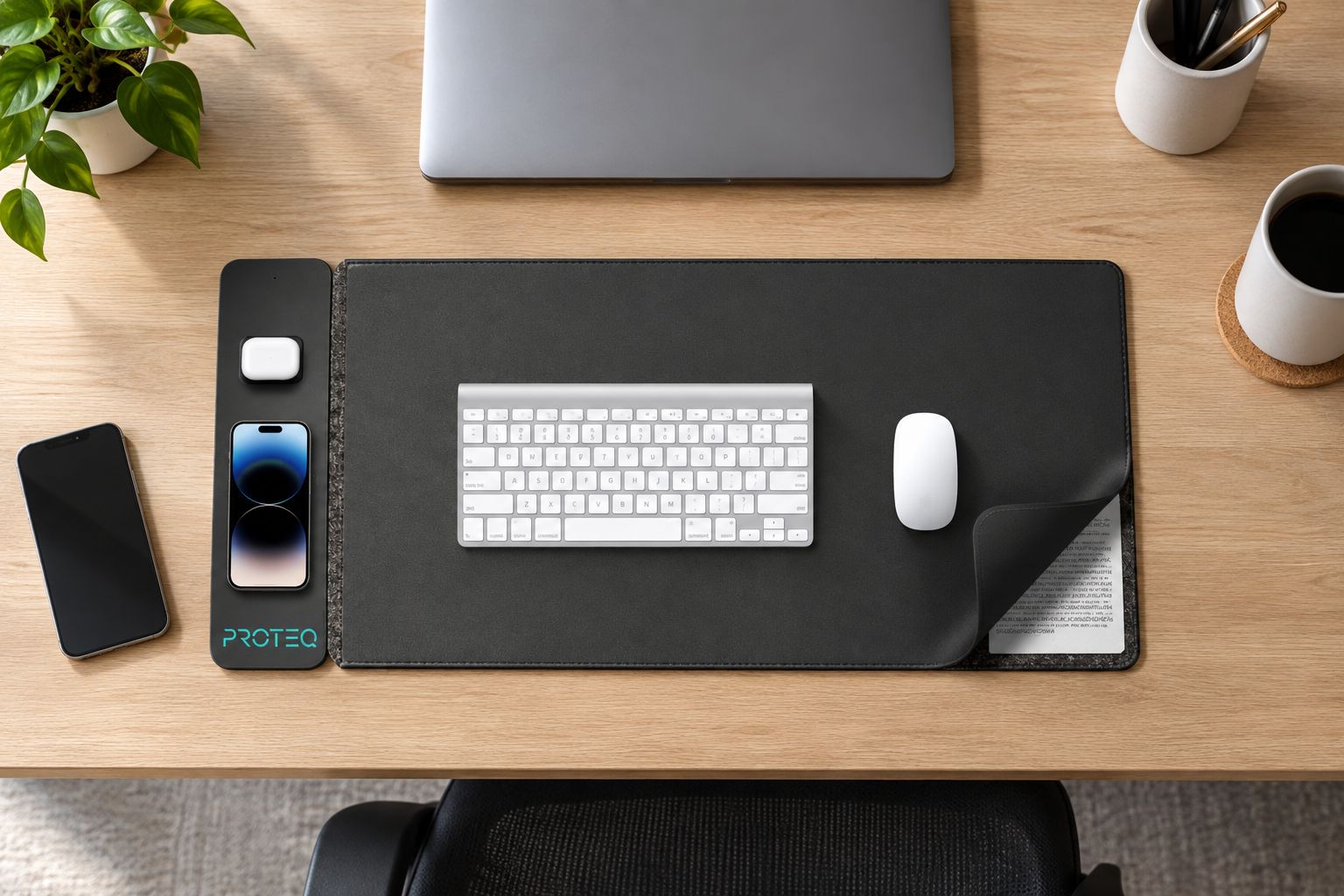
PROTEQ Wireless Charging Desk Mat pros:
- A named product in the wireless charging desk-mat category.
- A documented minimal aesthetic for a professional workspace.
- An integrated format for buyers who want charging within the desk surface.
PROTEQ Wireless Charging Desk Mat cons:
- The format does not let you position the charging area independently of the mat.
- Your decision still depends on confirmed dimensions and phone compatibility.
- Its appearance does not establish mouse-surface performance or protective properties.
Best for: Professionals choosing a minimal-looking desk mat with wireless charging as part of the layout.
Verdict: Buy only after the listing confirms your phone compatibility, power requirements and desk fit.
2. Compact wireless charging mouse pad: best for a small desk
A compact wireless charging mouse pad is the format to consider when you need a surface for the mouse, not the entire keyboard-and-mouse arrangement. The charging area remains part of that smaller surface.
This is a configuration recommendation, not an endorsement of a specific unnamed model. For your 2026 purchase, select an actual product only after reviewing its dimensions, charging specification and surface description.
Protect the mouse area
Treat the phone's charging position as occupied desk space. A photograph of an empty pad does not show how much room remains while you charge a phone and work at the same time.
Compare the published dimensions with your current mouse pad. Then consider whether your usual movement crosses the charging area. This matters especially if you already use most of your existing pad.
Compact wireless charging mouse pad pros:
- Suits a layout where only the mouse needs a dedicated surface.
- Keeps the phone-charging position associated with the mouse area.
- Offers an alternative to placing a desk mat beneath the keyboard.
Compact wireless charging mouse pad cons:
- The phone and mouse must share the available footprint.
- The charging position cannot be moved independently of the pad.
- A compact label does not tell you the actual usable dimensions.
Best for: Buyers with a small desk who can reserve a clear phone position beside their normal mouse movement.
Verdict: Buy when the listed dimensions leave enough mouse space with your phone in place; skip when they do not.
3. Separate charger and mouse pad: best for keeping your mouse setup
A separate wireless charger beside your existing mouse pad is not an integrated wireless charging mouse pad. It is the alternative to consider before replacing a surface you already like.
The benefit is independent placement. You can choose the mouse surface for your mouse and place the charger according to where you want the phone, subject to the charger's cable and power requirements.
Keep the parts that already work
If your mouse pad already fits your desk and routine, identify the problem you want an integrated pad to solve. Is it the appearance of separate accessories, the phone's position or a desire for one larger surface?
If the only requirement is wireless phone charging, a separate charger addresses that requirement without making the mouse surface part of the decision. It also keeps charger replacement separate from mouse-pad replacement.
Separate charger and mouse pad pros:
- Preserves your current mouse surface.
- Allows independent positioning of the phone-charging area.
- Lets you choose each accessory for its own function.
Separate charger and mouse pad cons:
- Leaves separate accessories on the desk.
- Requires you to plan the charger's cable route.
- Does not provide a combined desk surface.
Best for: Buyers who already have a preferred mouse pad or want the phone away from the mouse area.
Verdict: Buy this configuration when placement flexibility matters more than combining accessories.
Check your setup before ordering
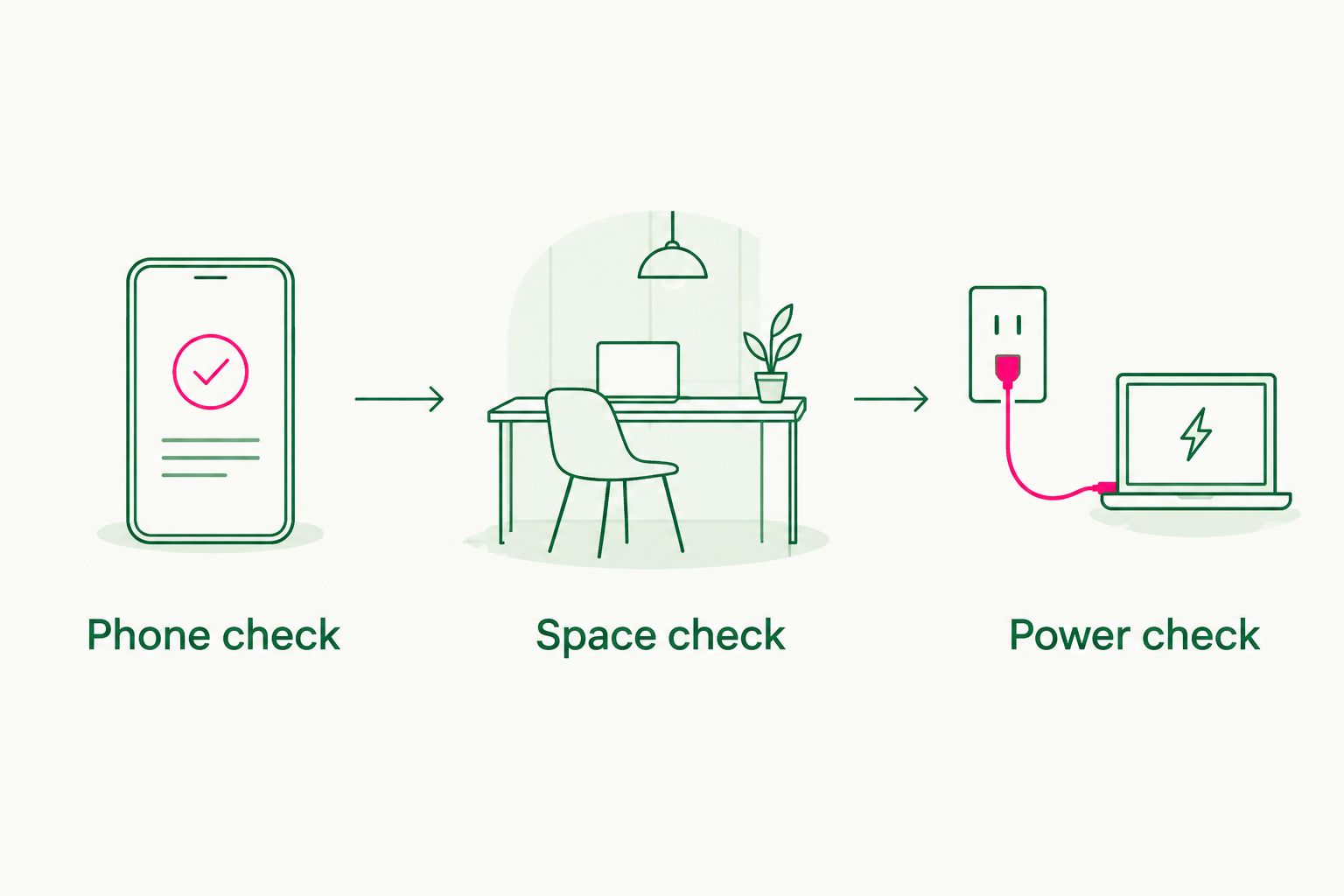
Use this three-step check before choosing a wireless charging mouse pad in 2026. It separates compatibility from layout, so an attractive product does not distract you from the practical requirements.
Phone check
Identify the exact phone you intend to charge. Confirm wireless charging support in the phone manufacturer's documentation, then match it to the accessory's stated compatibility.
Check any case-related instructions too. Do not assume that support for the phone automatically confirms charging through every case or attached accessory.
Space check
Check 2 separate working areas: the phone position and the clear mouse area. Use the product's dimensions, not its apparent size in a desk photograph.
For a larger desk mat, also account for the keyboard. Your layout should work with the phone in its charging position, not only when the surface is empty.
Power check
Check 2 cable locations: the mat's connection point and the power source you intend to use. Read the stated input requirements and the list of included accessories.
Wireless charging describes the connection between the charging surface and the device. It does not mean the mouse pad operates without a power cable.
How the picks are ranked
The ranking follows the criteria above: intended workspace, usable mouse area, compatibility checks, power requirements and placement flexibility. Proteq is first for the documented minimal professional aesthetic; the compact format and separate-charger configuration serve different layout needs.
This is not a charging-speed leaderboard. There is no basis here for declaring one option faster, tougher or better at mouse tracking. Those comparisons require product-specific evidence.
Which wireless charging mouse pad should you choose?
Choose the integrated desk-mat format if you want charging to be part of one professional working surface. The named pick suits that direction, provided its current specifications match your phone and desk.
Choose a compact charging mouse pad if you want to keep the keyboard outside the mat. Choose a separate charger if you already like your mouse pad or need more freedom over phone placement.
For a 2026 purchase, the deciding question is simple: where will your phone sit while your mouse is moving? Answer that before choosing a product finish.
FAQ
What's the best wireless charging mouse pad for a professional desk?
Proteq is the named pick for professionals seeking a wireless charging desk mat with a documented minimal aesthetic. Confirm phone compatibility, dimensions and power requirements before choosing it for your setup.
Will a wireless charging mouse pad charge my wireless mouse?
A phone-charging mouse pad does not automatically charge a wireless mouse. Mouse charging requires explicit compatibility between the mouse and its charging system; check both product listings.
Can I use a wireless charging mouse pad with my MacBook setup?
You can consider a charging mouse pad as a desk accessory, but a MacBook setup does not establish charging compatibility. Confirm the exact device the pad is designed to charge, then check the space available beside your laptop or keyboard.
Is a charging desk mat better than a compact charging mouse pad?
A charging desk mat is the better format when you want a wider working surface; a compact charging mouse pad suits a dedicated mouse area. Compare listed dimensions with the phone in position rather than choosing by the category name.
Does a wireless charging mouse pad still need a cable?
Yes, the charging surface needs a wired power connection. Check the specified power input and included accessories before deciding where it will sit on your desk.
Can my phone charge through its case?
Check the charger and case instructions for your exact combination. Do not assume that phone compatibility confirms support through every case, wallet attachment or other accessory.
Should I replace a mouse pad I already like?
Keep your current mouse pad if your main requirement is a separate place to charge your phone. An integrated charging pad makes sense when you also want to change the desk surface or combine the accessories.
What should I check before buying a wireless charging mouse pad in 2026?
Check phone compatibility, usable mouse space and power requirements first. Then review surface construction, care instructions and cable placement for the exact product you are considering.
One last thing
Before ordering, put your phone where the charging area would sit and use your mouse normally. This simple layout check does not test charging or surface quality, but it reveals whether the phone position conflicts with your working area.
Buy the layout you can work on, not the layout that only looks good empty.