

Best overall for a keyboard-and-mouse workspace: an extended fabric mat; best for adding phone charging: the PROTEQ Wireless Charging Desk Mat; best for a softer desk surface: felt. Choose your large desk mat for home office use in 2026 by usable space, mouse feel and charging needs—not by how much of the desk it covers.
- An extended fabric mat is the default large desk mat for home office keyboard-and-mouse setups.
- The PROTEQ Wireless Charging Desk Mat is best for professionals shopping for a desk mat with wireless charging.
- Choose felt for a softer surface or leather for a firmer writing area; check mouse performance before buying.
- Measure your working area and check care instructions before choosing any large desk mat.
Why this matters
A large desk mat should organise the space you actually use. Covering more desk is not automatically better: the mat still needs to leave room for your monitor base, cables and anything you move during the working day.
Proteq sells wireless charging desk mats alongside laptop accessories for professionals. For this buying decision, separate the surface you want from the charging feature you need. A good fit comes first; extra functionality only earns its place when you use it.
What makes the best large desk mat?
Use these criteria to compare home-office mats in 2026. They explain the recommendations below and give you a practical way to reject an unsuitable option.
- Usable coverage: The mat should accommodate your keyboard position and full mouse movement without crowding fixed desk equipment. Compare the listed dimensions with your actual layout.
- Surface feel: Fabric, felt and leather offer different contact surfaces. Choose around your mouse, writing habits and how your forearms rest on the desk.
- Stable placement: Check the underside, backing and edge construction. A material name alone does not establish whether a mat stays in place on your desk.
- Care requirements: Read the cleaning instructions before buying. Do not assume that a mat is washable, stain-resistant or waterproof because of its appearance.
- Charging suitability: A wireless charging mat needs a compatible device, appropriate power and a usable charging position. Confirm these details in the product listing.
- Professional appearance: Pick a surface and colour that work with your existing desk. A visually quiet setup does not require every accessory to match.
Large desk mats at a glance
These are buying options, not a claim that every mat within a material category performs identically. Check the construction and dimensions of the specific listing before ordering.
| Pick | Best for | Standout feature | Key limitation |
|---|---|---|---|
| Extended fabric mat | Everyday keyboard-and-mouse work | A continuous fabric surface beneath both peripherals | Cleaning method and backing vary by listing |
| PROTEQ Wireless Charging Desk Mat | Professionals wanting phone charging within the desk surface | Wireless charging in a desk-mat format | Confirm dimensions, device compatibility and power requirements |
| Felt desk mat | A softer surface for light desk work | A textile layer beneath your everyday equipment | Surface texture needs checking for your mouse and writing habits |
| Leather or faux-leather desk mat | A firmer surface for writing and desk presentation | A leather-style work surface | Genuine leather and synthetic versions have different care needs |
Choose the surface first. Add charging only when it solves a daily task. For a charging-focused shortlist, see the guide to wireless charging desk mats in India.
1. Extended fabric mat: best for everyday computer work
An extended fabric mat gives your keyboard and mouse a shared surface. It is the default recommendation when your main task is working at a computer and you do not need charging built into the mat.
Start with the layout, not the material description. Check where your keyboard sits during typing, where your mouse travels and whether the mat's edge would land beneath your wrist. Then inspect the listed backing and edge finish.
Pros:
- A shared surface keeps keyboard and mouse placement together.
- You can choose the mat independently of phone compatibility.
- The category suits a straightforward peripheral-focused layout.
Cons:
- Fabric alone does not establish the cleaning method or spill protection.
- Different textures require checking against your preferred mouse feel.
- A large footprint adds little value when your mouse space is restricted.
Best for: Home-office workers whose keyboard and mouse are the centre of the setup.
Before ordering, read whether the mat needs spot cleaning or another care method. Do not put it through a wash cycle unless the manufacturer explicitly permits it. Look for clear photographs of the edges and underside rather than judging construction from a top-down desk image.
Verdict: Buy an extended fabric mat when everyday mouse use is your priority and the listed footprint fits your desk.
2. PROTEQ Wireless Charging Desk Mat: best for integrated charging
The PROTEQ Wireless Charging Desk Mat combines a desk-mat format with wireless charging. It belongs on your shortlist when you want your phone's charging position to be part of the work surface rather than a separate accessory.
The buying decision has two parts: desk fit and charging suitability. Confirm the mat's dimensions, supported devices, power requirements and charging position in the listing. Do not assume compatibility from the phrase wireless charging alone.
Pros:
- Wireless charging is an explicitly named product feature.
- The format combines a desk surface and a charging function.
- It is relevant to professionals choosing a mat around phone use.
Cons:
- The charging feature is unnecessary if your phone does not support it.
- Charging still requires a power connection; wireless does not mean cable-free.
- You need to confirm that the charging position works with your desk layout.
Best for: Professionals who want a desk mat with wireless charging and will check compatibility before purchase.
For your 2026 setup, think about where the phone sits during calls and focused work. A charging area is useful only when that position stays accessible. If papers or your keyboard routinely occupy the same spot, a separate charger gives you more freedom to rearrange the desk.
Verdict: Buy after confirming desk fit and charging compatibility; skip integrated charging if you will not use it.
3. Felt desk mat: best for a softer work surface
A felt desk mat adds a textile layer beneath your equipment. Choose it for the surface feel, then check whether the specific texture suits your mouse and everyday desk tasks.
Felt is not a single performance specification. Thickness, fibre composition, backing and edge construction differ between listings. A clean-looking product photograph does not tell you how the surface feels during a full working day.
Pros:
- A textile surface suits buyers who prefer a softer desk feel.
- It offers an alternative to a smooth leather-style surface.
- You can choose it without taking on charging compatibility checks.
Cons:
- The texture needs checking for mouse movement and tracking.
- Writing on loose paper needs a firmness check.
- Cleaning instructions depend on the particular construction.
Best for: Professionals who prefer a textile surface and mainly type or work from a notebook.
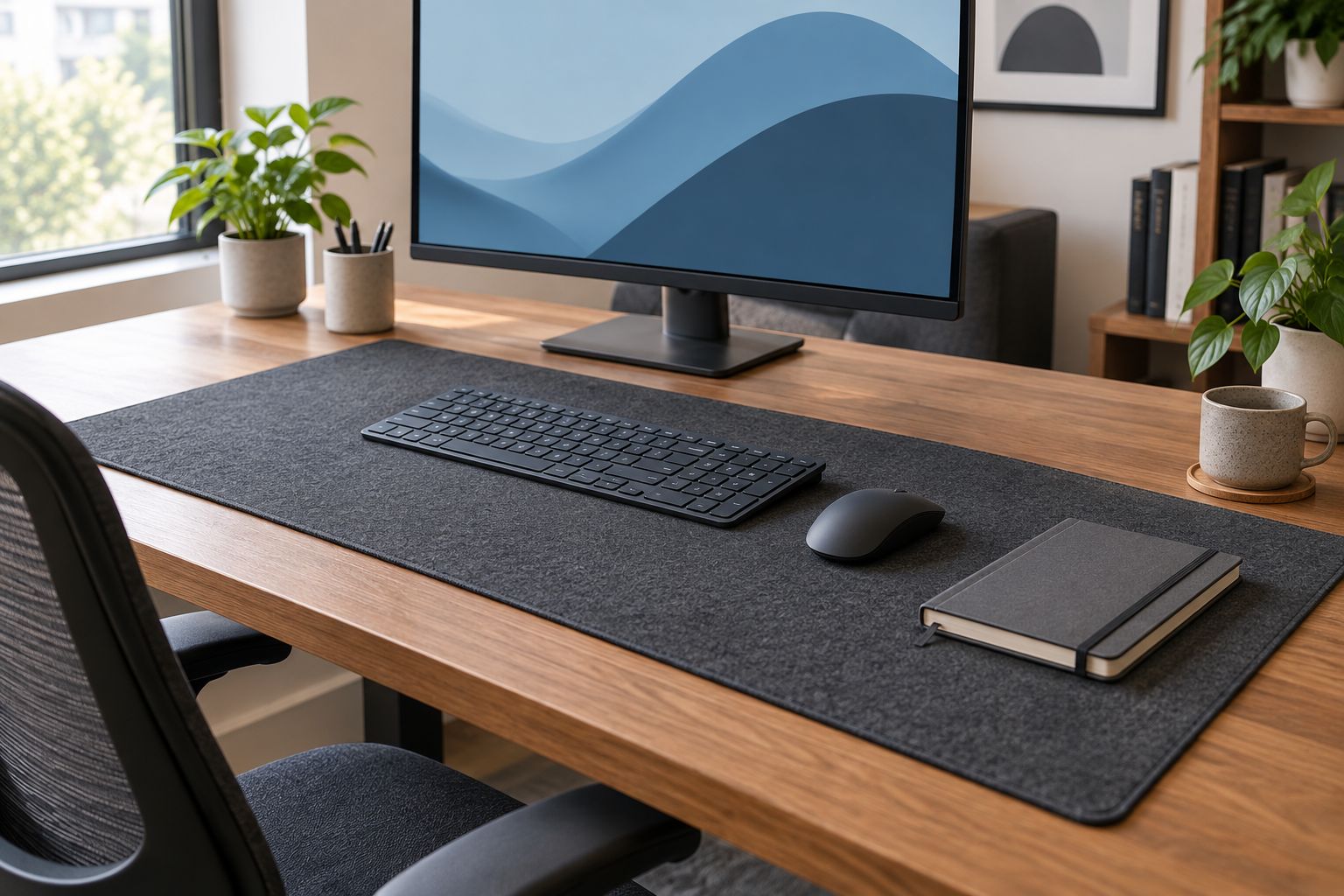
If you frequently write on individual sheets, check how they sit on the felt surface. A notebook brings its own backing; loose paper does not. That distinction is more useful than choosing felt solely because it looks comfortable in a styled workspace.
Verdict: Buy felt for its surface feel, after checking mouse use, writing support and care instructions.
4. Leather-style desk mat: best for writing-focused desks
A leather or faux-leather desk mat is a useful category to compare when you want a firmer work surface and a restrained desk appearance. Treat genuine leather and synthetic alternatives as separate materials, not interchangeable specifications.
Check the actual finish, backing and cleaning guidance. The word leather does not establish water resistance, scratch resistance or how the surface will behave under your mouse.
Pros:
- A firmer surface is relevant to writing-focused work.
- Leather-style finishes offer a different feel from textile mats.
- Non-charging versions keep device compatibility out of the decision.
Cons:
- Genuine leather and synthetic materials require different care checks.
- Surface texture and finish need checking for your mouse.
- Material naming alone does not confirm resistance to spills or marks.
Best for: Professionals who regularly write at the desk and prefer a leather-style surface.
For a 2026 purchase, look beyond the front photograph. Ask whether the finish suits loose-paper writing, whether the underside grips your desk and whether the edges lie flat. Those details determine everyday usefulness more directly than a general premium-material description.
Verdict: Buy a leather-style mat for writing-focused work once the specific finish, backing and care method suit your routine.
Check fit before you order
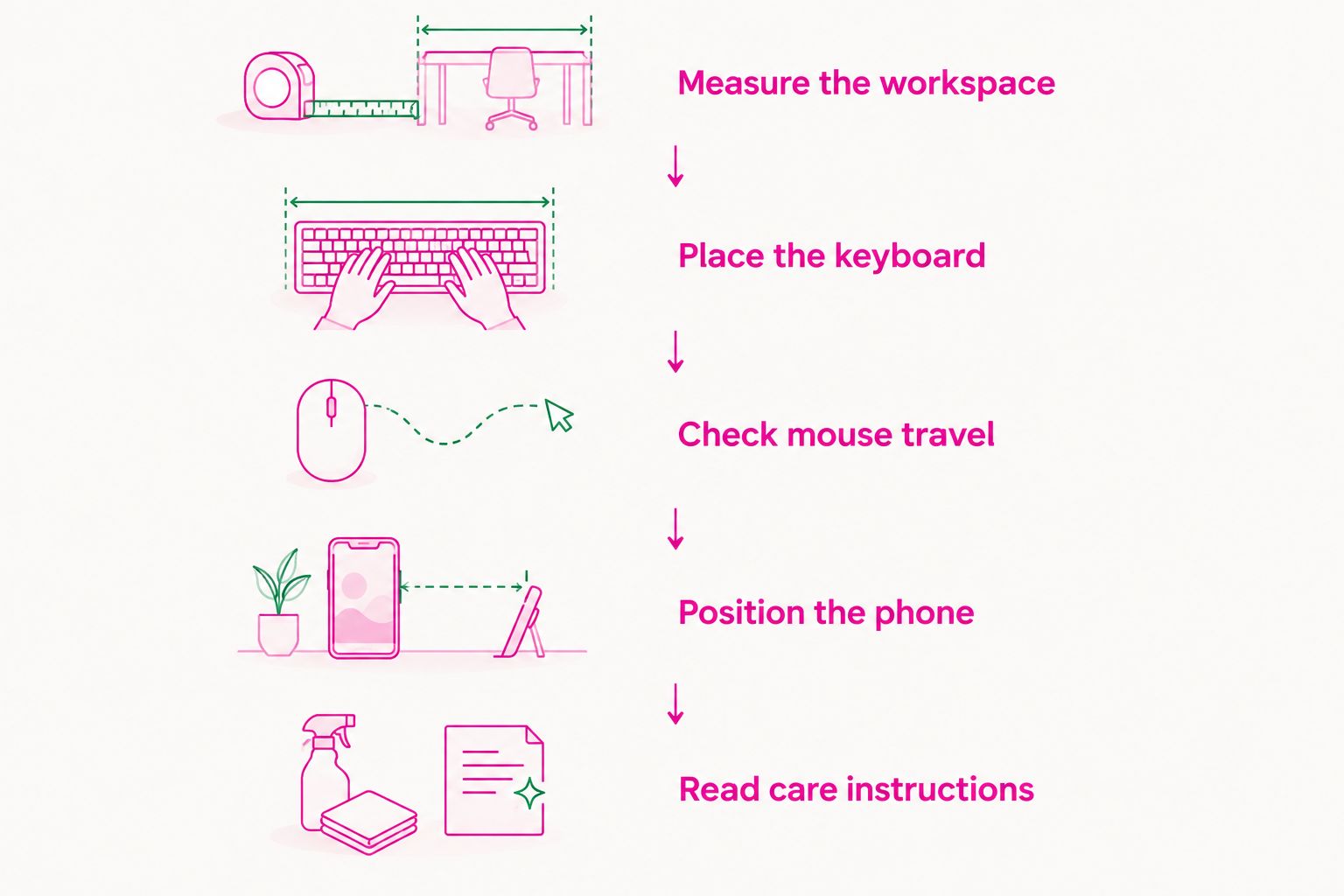
A large desk mat should fit your working area, not merely fit somewhere on the tabletop. Use this sequence before choosing a size or adding a charging feature.
Measure the workspace
Measure the clear area available after accounting for your monitor base, laptop stand and cable exits. Use the listed dimensions rather than estimating size from photography. Perspective can make the same mat appear very different across desk images.
Place the keyboard
Put your keyboard where you naturally type. Decide whether you want its full footprint on the mat and whether the front edge leaves a comfortable resting position. Do not move the keyboard into an awkward position just to centre the mat.
Check mouse travel
Move your mouse through the range you use during normal work. The useful area is the space beside the keyboard, not the total width printed in the listing. Check that the mat edge will not interrupt that movement.
Position the phone
For a charging mat, check where the charging area sits relative to your keyboard and mouse. Keep that position accessible. Also check how the required power connection reaches the desk without crossing your working area.
Read care instructions
Finish with the maintenance check. Confirm the permitted cleaning method and any product-specific water-resistance claim. A desk mat is not waterproof unless the listing explicitly establishes that property.
Once you have checked the layout, compare materials within that footprint. This prevents a familiar buying mistake: choosing an attractive surface first, then discovering that its edge or charging position conflicts with your daily setup.
How the options are ranked
The 2026 recommendations use desk coverage, surface feel, placement, care and charging suitability. The order is a decision path: start with everyday keyboard-and-mouse work, then consider charging, textile feel or writing support.
Material categories are not substitutes for product specifications. The recommendations do not assign unverified dimensions, charging speeds, durability ratings or spill protection to any option. Your final choice depends on the individual listing meeting the criteria above.
Which large desk mat should you choose?
Choose an extended fabric mat if you are undecided and mainly work with a keyboard and mouse. It addresses the basic desk-surface need without introducing charging requirements. Confirm its dimensions, backing and cleaning instructions before buying.
Choose the PROTEQ Wireless Charging Desk Mat when integrated phone charging is part of your decision. Choose felt when textile feel matters most, or a leather-style surface when writing is central to your routine. Do not pay attention to an extra feature until the underlying mat fits your workspace.
FAQ
What's the best large desk mat for home office use?
An extended fabric mat is the default recommendation for a keyboard-and-mouse home office. Choose a charging mat, felt or a leather-style surface when those features better match your routine. Confirm the individual listing's dimensions and construction before buying.
Is the PROTEQ Wireless Charging Desk Mat right for my setup?
The PROTEQ Wireless Charging Desk Mat belongs on your shortlist if you want wireless charging within the desk surface. Check the listing for dimensions, device compatibility, power requirements and charging position before ordering.
How do I choose the right desk-mat size?
Measure the usable area around your keyboard and full mouse movement, then compare it with the listed mat dimensions. Leave room for fixed equipment and cable exits. Do not estimate size from a styled product photograph.
Is felt better than leather for a desk mat?
Choose felt for a textile surface and compare leather-style mats when you prefer a firmer writing area. Neither material name establishes mouse performance or cleaning requirements. Check the finish, backing and care instructions of the specific mat.
Will a wireless charging desk mat work with my phone?
Use the product listing to confirm support for your phone before buying a wireless charging desk mat. Check the required power source and charging position as well. The product category alone does not establish device compatibility.
Can I clean a large desk mat with water?
Follow the cleaning method stated for the individual desk mat. Do not assume that fabric, felt or a leather-style surface is washable or waterproof. Water resistance and waterproofing are different claims and need product-specific evidence.
Should I put my whole laptop on the desk mat?
Follow your laptop manufacturer's placement and ventilation guidance when deciding what sits on the mat. Plan the mat around your keyboard, mouse and writing area first. Leave required ventilation paths unobstructed.
One last thing
Check the working position, not just the desktop dimensions. Before ordering your 2026 desk mat, arrange the keyboard, mouse, notebook and phone exactly as you use them. Measure that layout without making it artificially tidy for the purchase.
The right mat fits the work you already do. If you must change your comfortable keyboard position or repeatedly clear the charging area, choose a different footprint or keep charging separate.